FindGlance
Find files on your Mac by describing them in plain English, including text inside screenshots and PDFs

Overview
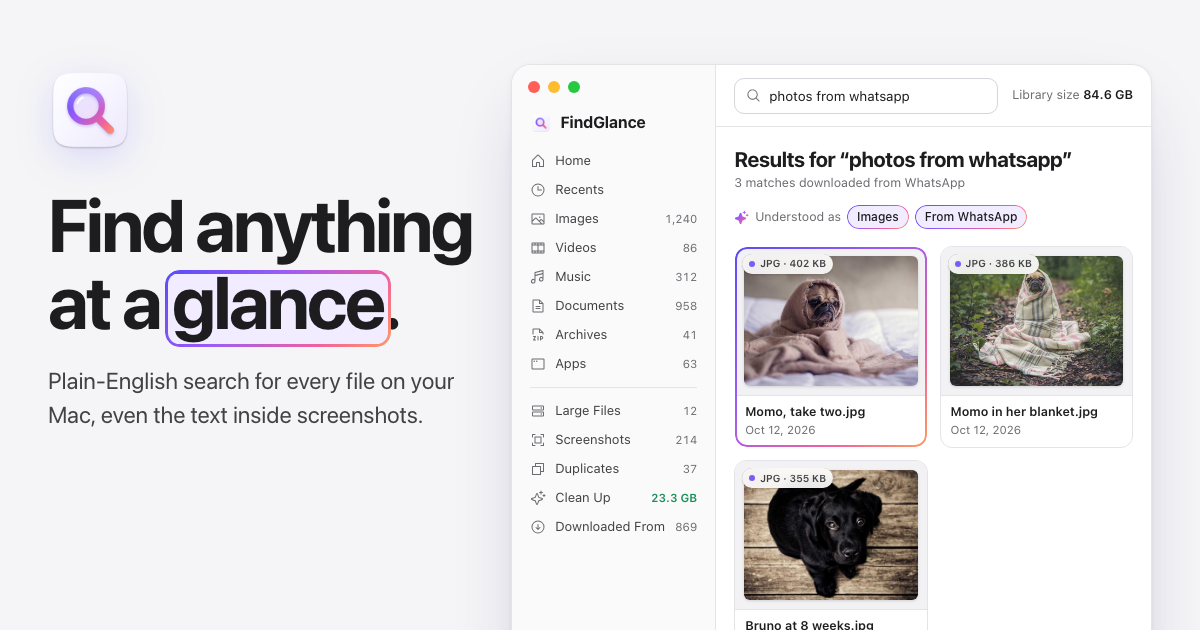
FindGlance finds files on your Mac from plain-English descriptions and searches the words inside your screenshots, photos and PDFs.
It also shows where every download came from and helps you clear out duplicates, while your Finder habits keep working.
Features
- Plain-English search
- Search and copy the text inside screenshots, photos and PDFs
- Sort downloads by where they came from, from Gmail and ChatGPT to any website
- Exact duplicates and similar photos side by side
- Clean-up suggestions with sizes, and files go to the Trash so you can put them back
- Quick Look, Inspector, Group By and the Finder shortcuts you know
Privacy
Indexing, text recognition and duplicate checks all happen on your Mac. There is no account and no cloud copy of anything.
Details
PlatformMac app
RequiresmacOS 14 or later
PricingFree 7-day trial, then a one-time Pro license
Websitefindglance.com
Made bySidhant Sinha