How to collect every guest's wedding photos with one QR code, and why I built EventPixel
A week after a wedding, someone always asks the same question in the family group chat: "Does anyone have the photos from the dance floor?"
Everyone does. That's the problem. The professional photographer covers the ceremony, the portraits and the big moments. The candid shots of your grandmother dancing, the friends who flew in, the chaos after the cake are on 100 different phones. A few get posted, a few go to WhatsApp, and most of them never reach the couple.
I built EventPixel to fix that. Guests scan one QR code, pick their photos and they land in a single shared gallery. There's no app to download and no account to make. Afterwards, each guest can take a selfie and get back every photo they're in.
This post covers why the usual ways of collecting guest photos fall short, how EventPixel works from both sides, how the face search works and what it does with your face, what it costs, and what it doesn't do.
How many photos are we talking about?
More than you'd guess. In a 2017 UK survey of more than 2,000 recent wedding guests and couples, commissioned by the phone retailer Mobiles.co.uk, three in four guests said they photographed the couple. Guests took about 28 photos each, and a 100-guest wedding produced about 3,000 photos once the professional's were counted (Refinery29). It's an old survey from a company that sells phones, so treat the exact numbers loosely. The pattern is easy to believe, though.
Weddings haven't got any smaller since then. The Knot's 2026 Real Weddings Study, which surveyed more than 10,000 US couples who married in 2025, puts the average guest list at 117, and 88% of couples hired a photographer (The Knot Worldwide). Even with a professional photographer, there are over a hundred other cameras in the room.
Our own numbers say the same thing. As of November 2026, EventPixel has hosted more than 370 events, over 200 of them weddings, and guests have shared more than 11,000 photos. The biggest single wedding collected over 3,000 photos from its guests.
Why the usual ways don't work very well
Most couples try one of these first. Each works up to a point.
A WhatsApp group. Everyone already has it, which is its big strength. But WhatsApp sends photos at Standard or HD quality, not the original file, unless each guest sends them as documents (WhatsApp Help). Every guest can see every other guest's phone number. And there's no "download all" button, so whoever collects the photos saves them one by one.
A Google Photos shared album. It's free and holds up to 20,000 photos or videos (Google Photos Help). It works best when everyone already uses Google Photos. For guests who don't, adding photos usually means signing in to a Google account first, and at a reception that's the moment people give up.
"Just send them to me." People mean to. A few do. Most forget by Monday.
A photo-sharing app. These work well once installed. Asking 117 guests to download an app, make an account and allow notifications during the speeches is the hard part.
The pattern is the same every time. Any extra step between "I took a nice photo" and "the couple has it" loses guests. So the goal was to remove every step that wasn't strictly necessary.
How it works for guests: three taps
A guest scans the QR code on a table card or sign, or taps a link you've sent. The event page opens in their phone's browser. They tap Upload, choose photos from their camera roll and optionally add their name. That's it. Uploads carry on in the background, and if the signal drops at the venue, their selection is kept so they can try again.
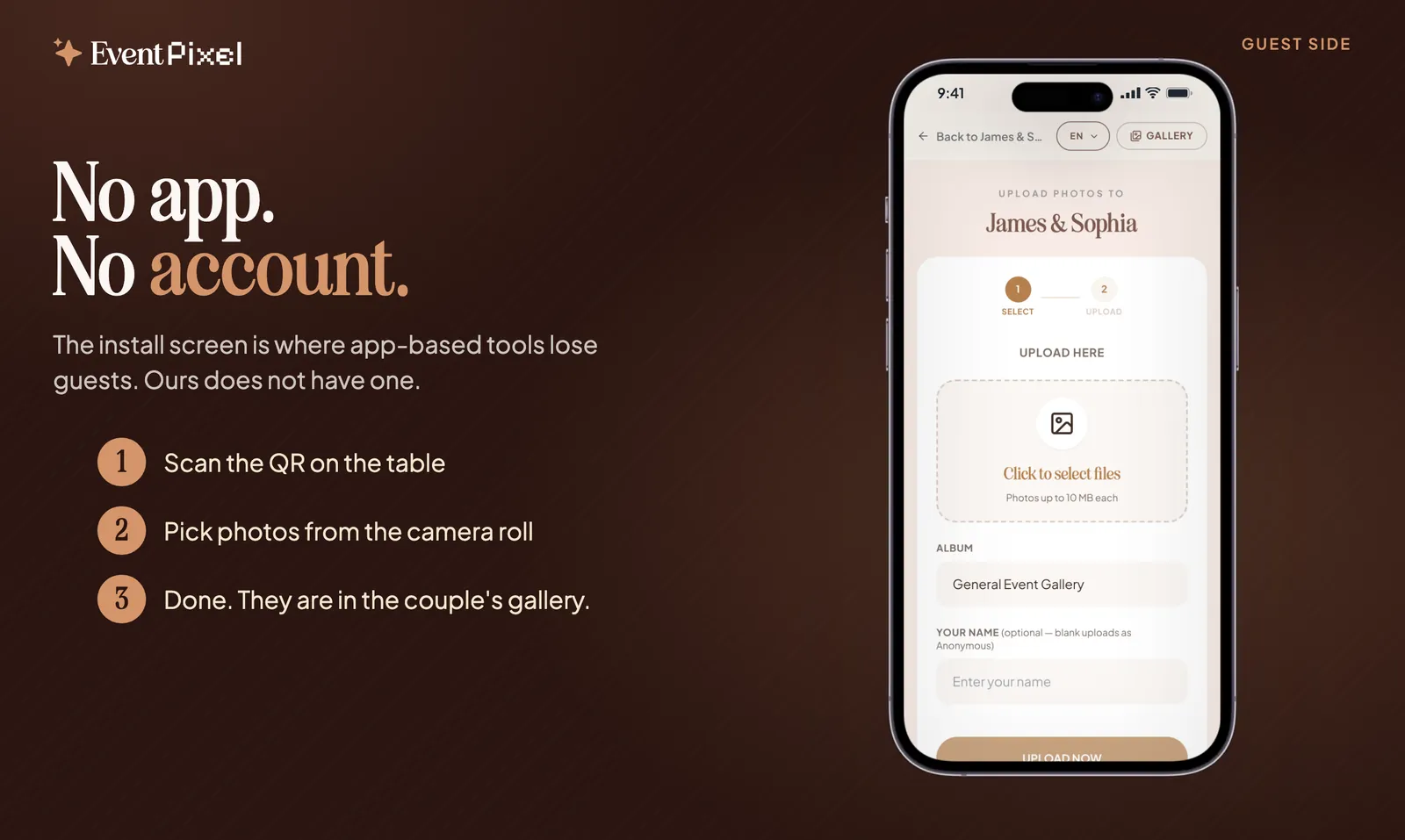
Guests can also shoot straight into the gallery with an in-browser camera, which the host can turn off. The page appears in English, Spanish, German, French or Italian, depending on each guest's phone.
Photos are uploaded at full quality, up to 10 MB per file, which covers normal phone photos (usually 2 to 6 MB). iPhone HEIC photos work as they are. The gallery shows fast, optimised versions, and the host can download the originals.
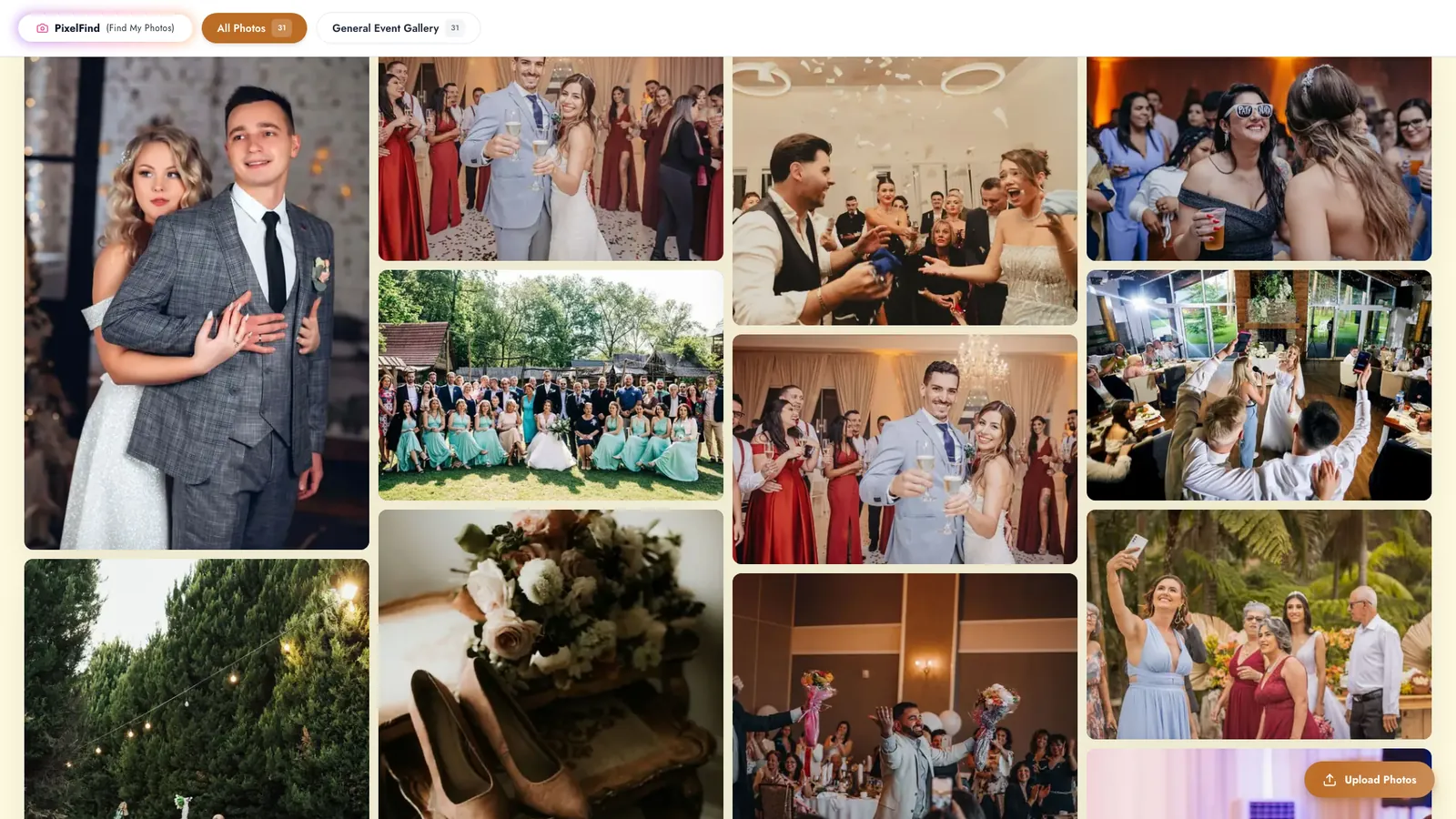
On paid plans, guests can also leave a written message or record a voice message from their browser, a little like an audio guestbook without the vintage phone on a table.
How it works for the couple or host
- Sign up with email or Google. No card needed.
- Click Create Event and add a name, date and type, such as a wedding, birthday, conference or company party. It takes about two minutes.
- Your event link and QR code are ready straight away. Download the QR code as an image, or as a free print-ready sign or table card.
- Choose your settings: a password, whether guests can download, the guestbook, the PixelFind tab and the in-browser camera.
- Test it. Scan the code with your own phone and upload one photo.
- Upgrade before the day if you need more than the free plan. The QR code never changes, so anything you've printed keeps working.
- On the day, open the live photo wall on a TV or projector.
- Afterwards, tidy the gallery and download every photo as one ZIP file.
One detail couples like: you can pay months early. The upload and viewing periods start on the event date, not the day you buy.
Find your photos with a selfie
A gallery of 3,000 photos is lovely for the couple and a lot of scrolling for everyone else. Most guests only want the photos they're in. That's what PixelFind does.
A guest opens the gallery, taps Find My Photos, signs in with email or Google and takes or uploads a selfie. A few seconds later they see every photo from the event with their face in it, and can download them all at once.
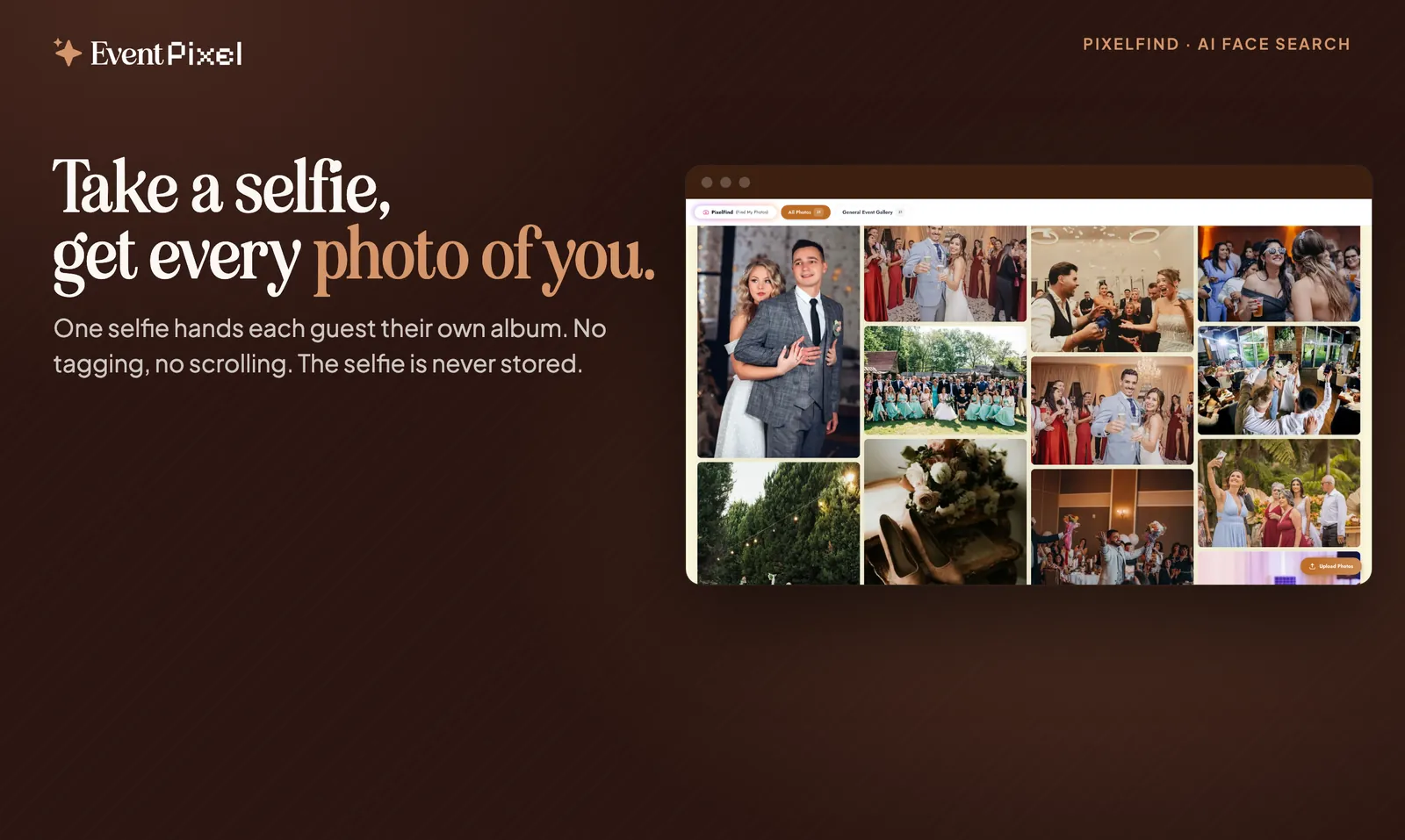
PixelFind is built on Amazon Rekognition, a face recognition service from Amazon Web Services. When a photo is uploaded, EventPixel finds the faces in it and adds them to a face index that belongs to that one event. When a guest searches, their selfie is compared with that event's index, and the matching photos come back.
Face search deserves care, so here's exactly how it's limited:
- The selfie isn't stored. It's used for that one search and then discarded.
- Search is by your own selfie only. Nobody can browse faces or search by name.
- Results come from that event only. Each event has its own face index, and photos never mix between events.
- On a private event, only people who have entered the password can search.
- Delete a photo and its face data goes with it. Delete the event and its whole face index is deleted.
- Photos are never used for ads or for training AI models.
It isn't magic, either. Faces that are far away, turned to the side or blurry can be missed, so the full gallery is always there as a backup.
Hosts can try PixelFind on every plan. To let every guest use it, you need the Premier or Grand plan.
The live photo wall
The live photo wall is the feature I'd set up at any event. It's a web link you open on any screen at the venue: a laptop plugged into a projector, a smart TV's browser, Chromecast, Apple TV or Fire TV. New photos appear within seconds of being uploaded, ahead of the older ones in the slideshow.
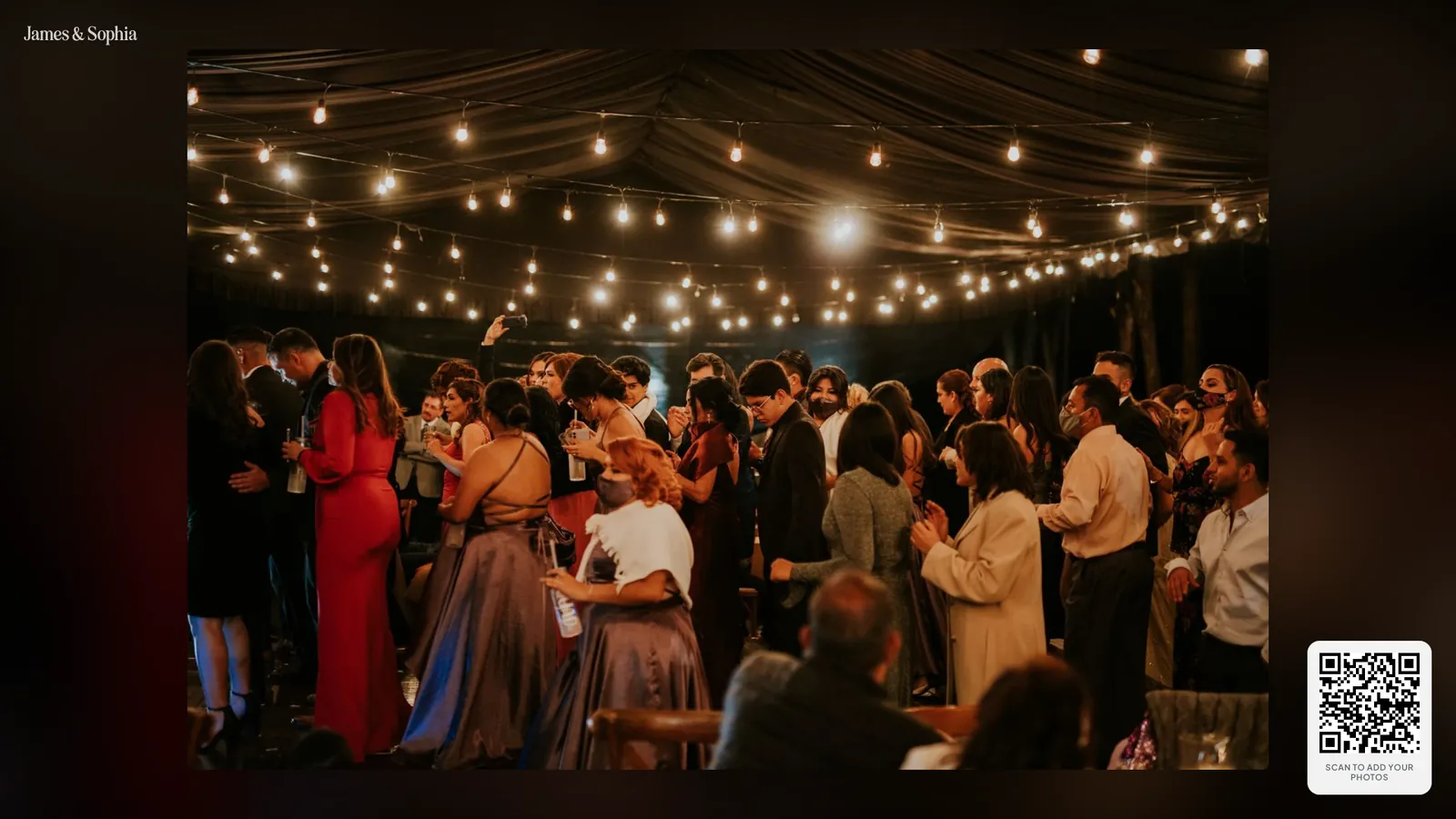
It changes how people behave. Once guests see their photo on the big screen, they want to upload more, and the QR code in the corner brings in people who missed the table cards. You can set the speed, hide the QR code and play a background track. The wall is included on every plan, free one too.
An event website and RSVPs in the same place
Most couples also need a wedding website, and it makes sense for the website and the photos to live at the same link. Every event gets a website with your story and schedule. Paid plans add more than 50 templates and animated invitation designs with music and a countdown, plus sections for the wedding party, travel, FAQs, a shared playlist and registry links.
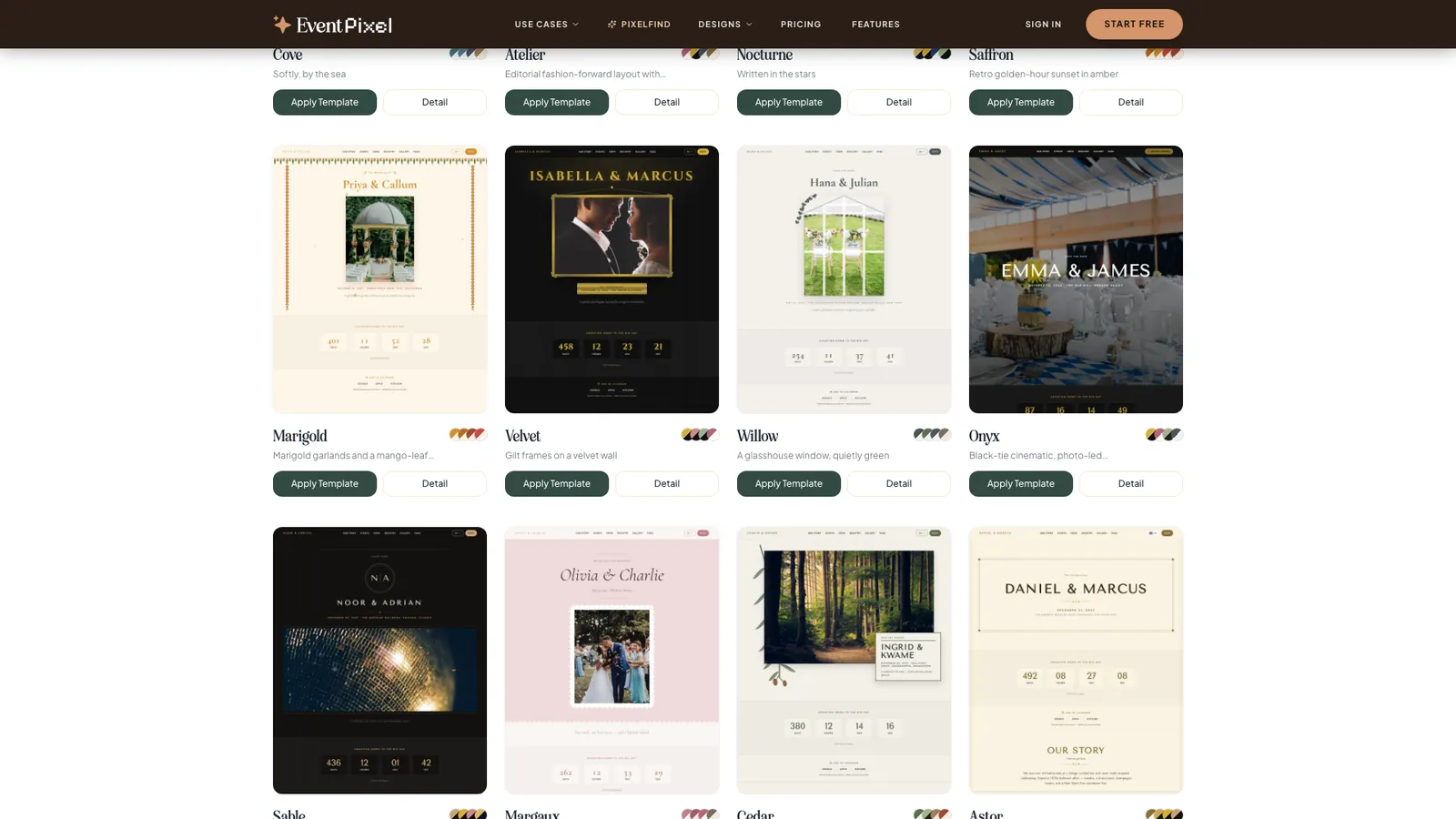
RSVPs work on every plan with a simple form. Paid plans add a full RSVP manager with several sub-events (handy for multi-day Indian weddings), custom questions such as meal choices, invitation codes and a CSV export.
Keeping the gallery private
Wedding photos aren't for the whole internet. Every plan, including the free one, can put a password on the event, and it covers the website, the upload page, the gallery and the wall. Event pages aren't submitted to search engines. You also decide whether guests can download photos, and whether they need to sign in first.
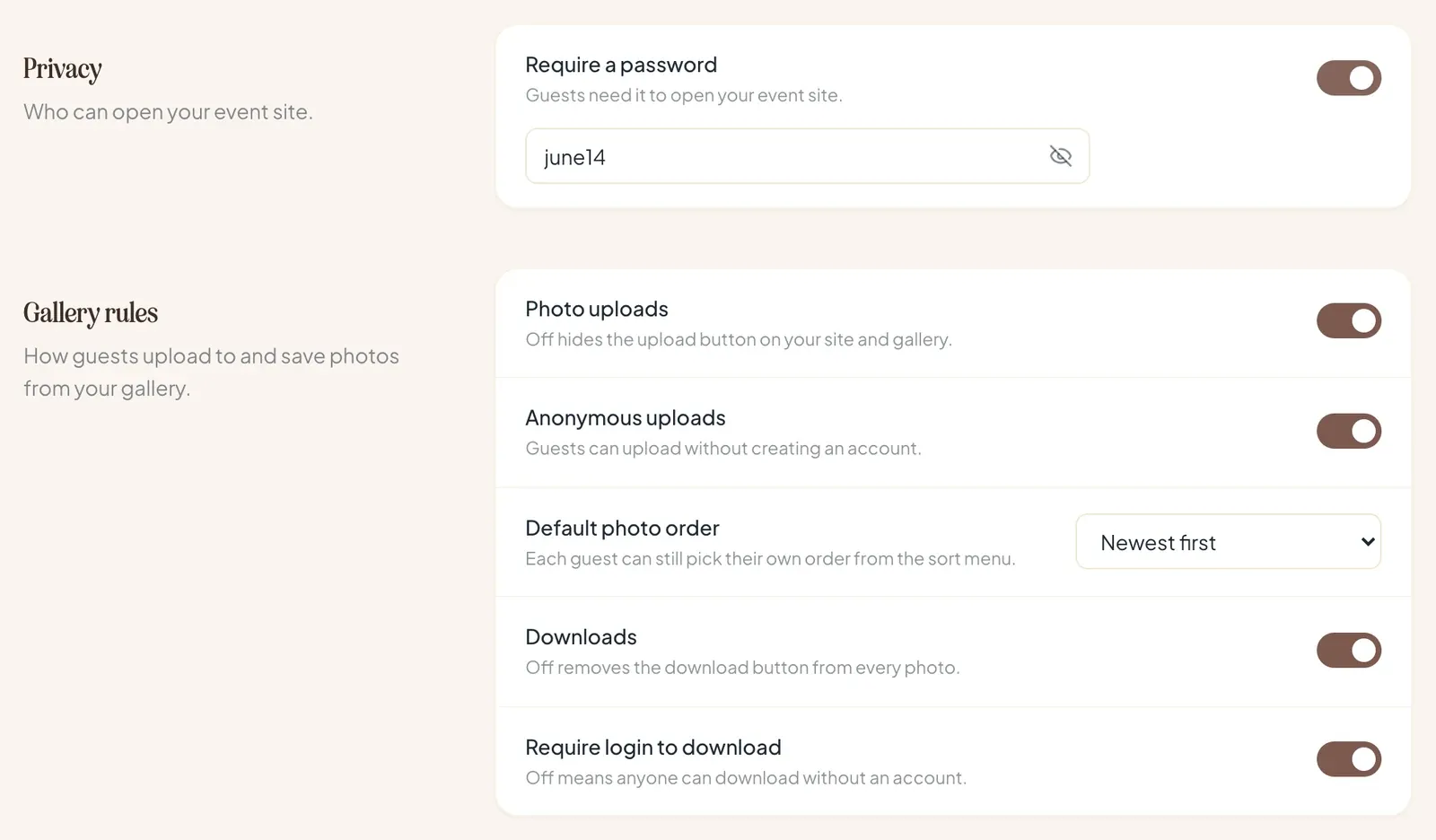
Without a password, anyone with the link can open the event, which is what most couples want for a relaxed party. If yours is more private, turn the password on before you print anything.
What it costs
EventPixel charges once per event. There's no subscription. In US dollars, as of November 2026:
- Free, $0: up to 100 guest photos, a 30-day upload window and 14 days of full viewing after the event. Includes the event website, the live wall and the QR code. Good for a birthday or a small get-together, or for trying it out.
- Classic, $19: unlimited guest photos, a 3-month upload window, 1 year of storage, every template, the voice and written guestbook, full RSVP management, up to 2 co-hosts, and the ZIP download in original quality.
- Premier, $39 (the one most couples pick): everything in Classic, plus a 6-month upload window, unlimited albums, PixelFind for every guest and up to 3 co-hosts.
- Grand, $69: everything in Premier, plus a 1-year upload window, 2 years of storage, unlimited co-hosts, a custom RSVP form with plus-ones and meal choices, and registry links.
Prices are shown in eight currencies. In India, Classic, Premier and Grand are ₹1,499, ₹3,499 and ₹5,499, and you can pay by UPI or netbanking as well as by card. If your event hasn't started and you haven't used the plan, you can get a full refund within 14 days of buying.
A free gallery isn't deleted when its 14 days end. It locks for guests, the photos stay stored for 12 months, and you can upgrade any time to open it up again.
How it compares
There are good tools in this space, and the right one depends on what you need. Here's how a few of them compare, from their own pricing pages in November 2026:
- GuestCam: $49 for its Standard plan, with photos and video and an audio guestbook. Its face search, MagicFind, is a $45 add-on, so face search costs $94 in total. It doesn't include a website or RSVPs.
- Wedibox: a free plan with 50 uploads, $49 for a wedding plan with a website, and $79 to add RSVPs. It takes video as well. There's no face search.
- GuestPix: $49 for its Classic package, with photos, video, a guestbook and an invitation with RSVP. There's no face search.
- WedUploader: takes a different approach. Guests upload straight into your own Google Drive, so storage depends on your Drive space.
- Google Photos or WhatsApp: free, and fine if your guests already use them and you don't mind the limits above.
Where EventPixel stands out is putting the website, RSVPs, the live wall and face search for every guest into one plan for $39. Where it falls short is video, which brings me to the honest part.
What EventPixel doesn't do
- No video uploads. Guests can share photos, not videos. I chose to keep it to photos for now, but if videos matter a lot to you, the apps above handle them.
- 10 MB per photo. That covers normal phone photos, but not very large files such as ProRAW.
- No approval queue. Photos appear as soon as they're uploaded. The host and co-hosts can remove anything afterwards, but deleting is permanent and there's no Trash.
- Guests can't delete their own uploads. They need to ask the host.
- The free plan is too small for most weddings. 100 photos and 14 days of viewing is fine for a party, not for 117 guests.
- Guests need to sign in to use PixelFind, and it can miss faces that are small, turned away or blurry.
- Photos taken with the in-browser camera on an iPhone come out at a lower resolution than the phone's own camera app. Uploading from the camera roll keeps full quality.
- Galleries aren't kept forever. Storage lasts 1 or 2 years depending on the plan. Download the ZIP and keep your own copy. EventPixel is the collection point, not your only archive.
Tips for getting the most photos
A few simple things help a lot:
- Put the QR code everywhere guests pause: table cards, the welcome sign, the bar and the photo booth.
- Mention it once out loud. One line from the host or DJ after dinner does more than ten signs.
- Put the live wall where people can see it. Seeing their photo on screen is the best reminder there is.
- Send the link the next morning to the family group chat, for everyone who forgot on the night.
- Keep the upload window open for a while. People find more photos days later, and the paid plans give you 3 to 12 months.
EventPixel's own blog has a longer step-by-step guide on collecting wedding photos from guests, including wording you can print on signs.
Why I built it
I design and build apps for a living, and EventPixel started the way most of my projects do: with a problem that shows up at nearly every wedding and party. Everyone has great photos and no easy way to put them together.
The rule I kept coming back to was simple. If a guest needs more than a scan and a tap, the photo doesn't arrive. Everything else, from the live wall to the selfie search, is built around that.
If you're planning a wedding or an event, start a free event on EventPixel and test it with your own phone. It takes two minutes, and you'll know straight away whether it's right for your day.